Notion AI Data Residency and Prompt Confidentiality Controls
Enterprise plans get zero-retention AI by default, others don't.
Notion AI now drives more than half of Notion's annual recurring revenue, and that changes what data residency and prompt privacy actually mean here. This isn't a footnote anymore, it's a compliance question with teeth, and the honest answer is more layered than the marketing copy lets on. Notion AI offers meaningful data residency and prompt confidentiality controls (specific regions, retention tiers, and training-data protections), but enterprises need to understand what each control governs and where gaps remain before treating them as sufficient for compliance or security.
Notion AI's data residency and prompt confidentiality controls
"Data residency" "Data residency" and "privacy" appear on every pricing page, but those words cover a lot of ground, and not all of it means what a compliance officer needs it to mean. Picking a region at signup is not the same thing as a guarantee about where the LLM actually runs inference. Conflating the two is the exact trap most enterprise buyers fall into.
The most useful thing anyone evaluating Notion AI can do is map each named control to what it actually governs, then find where that control stops working. That's the only way TPRM, InfoSec, Privacy, and Legal teams get a factual basis for the vendor conversation, instead of relying on what the sales deck implies.
Where Notion stores data
New workspaces get regional access first. Existing ones migrate over afterward, on a rolling basis.
The setup is specific down to the data center. Japan runs primary storage in Tokyo with Osaka as backup. South Korea runs primary out of Seoul, spread across multiple Availability Zones for redundancy. Every region sits on AWS, and each one carries SOC 2 Type II, ISO 27001, and ISO 27701, with South Korea adding a CSP Evaluation from the Korea Financial Security Institute on top. That Korea rollout isn't random: about 30% of office workers there say they're worried about data security and privacy in the tools they use at work https://www.notion.com/blog/notion-expands-data-residency-to-japan-south-korea.
People get tripped up by one particular thing. "Residency" doesn't mean everything Notion touches; it means page content, uploaded files, the search index, and anything created through integrations or automations. Anything outside that list isn't covered by the regional guarantee.
Multi-region architecture and home-region data retention
The principle is simple enough to say in one line: data gets processed and stored in the region where it was created, and once it's ingested, it doesn't leave that region's infrastructure.
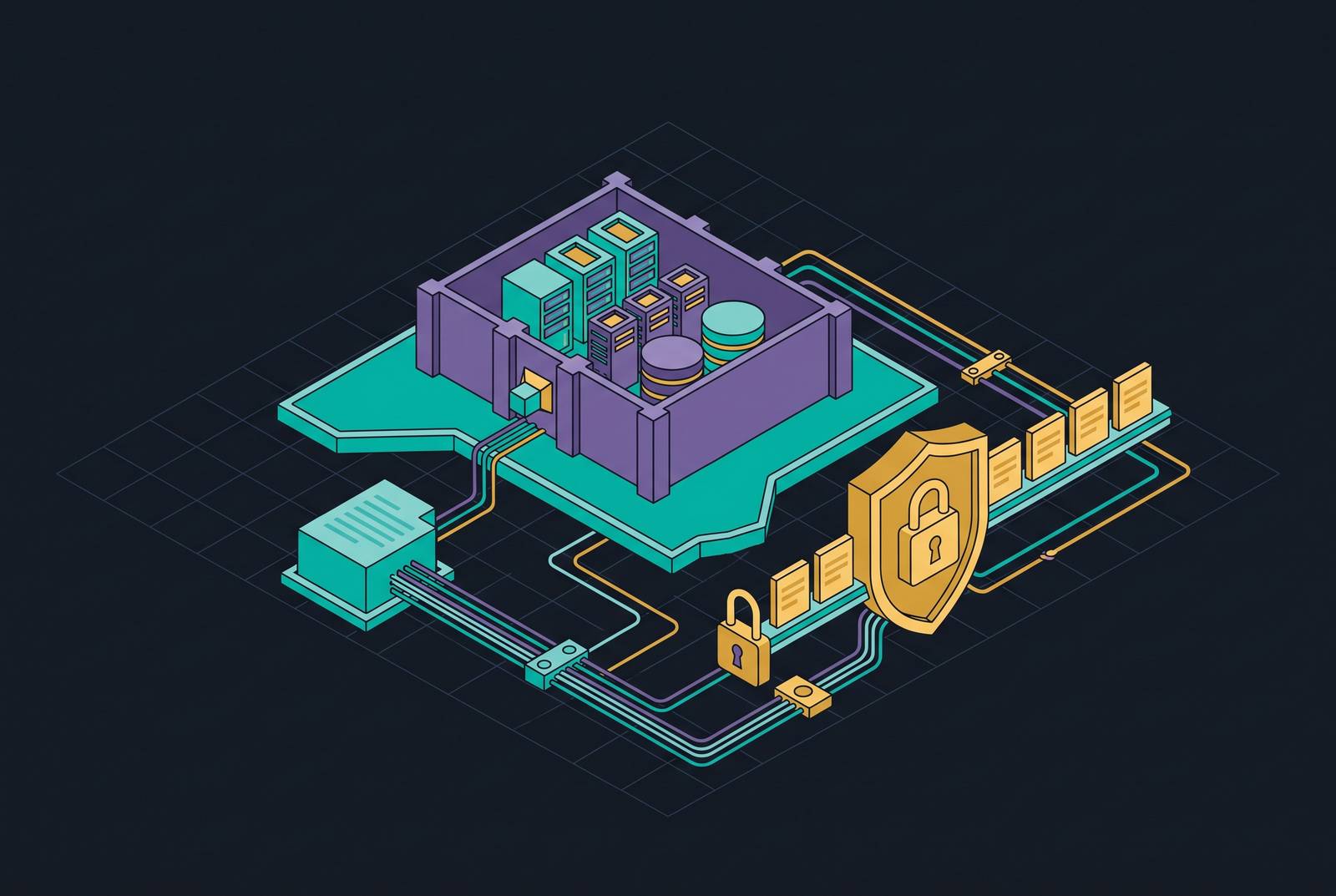
Each region runs its own data lake, fed by change data capture through Debezium on Kubernetes, streaming into Kafka, with Apache Spark jobs moving that data from Kafka into the regional lake. Search runs on dedicated regional Elasticsearch clusters, so EU Search, for instance, only ever reads from the EU data lake. AI content gets the same regional treatment: workspace content is embedded and stored in a regional vector database, and updates flow through the regional Kafka cluster, get processed by Spark, and get written back locally.
Workspace ID is what routes and partitions all of it, and it's what guarantees a given workspace's processing and storage stay inside one network. Search, Enterprise Audit Logs, Workspace and Page Analytics, scheduled events, and Notion AI itself all honor that boundary by design.
That's a genuinely well-built system for keeping data at rest inside a region. But storage at rest is only half the story. The next section is where the boundary actually gets tested.
Controls governing prompts and LLM data after a query leaves Notion's own infrastructure
Once a prompt needs an LLM to answer it, Notion hands the request to outside providers. The named subprocessors include Anthropic, OpenAI, Baseten Labs, and Cerebras Systems, and Notion says it keeps evaluating new providers on an ongoing basis. For Enterprise Search specifically, OpenAI generates the embeddings under a zero-retention policy, Anthropic handles the LLM queries themselves under the same zero-retention terms for Enterprise customers, and Turbopuffer, which holds its own SOC 2 Type 2 certification, runs the vector database.
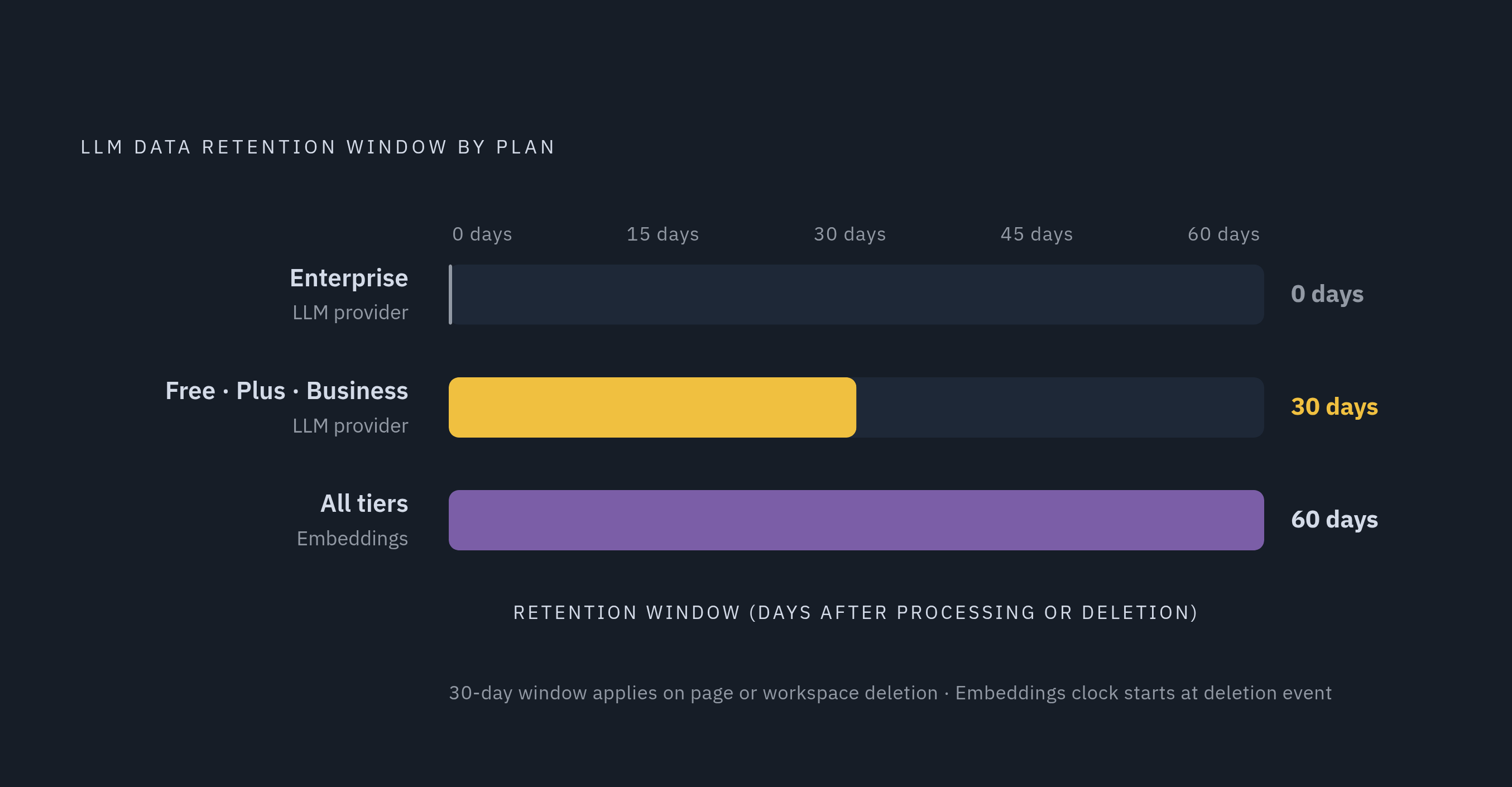
Enterprise customers get zero data retention by default, while everyone else runs under a different rule because of plan tier, making retention a security decision rather than a pricing detail. Enterprise customers get zero data retention by default: the LLM provider deletes request data as soon as it processes it. Everyone else, Free, Plus, and Business, runs under a different rule, one that lets LLM providers hold customer data for up to 30 days before deleting it https://www.notion.com/help/notion-ai-security-practices https://www.unseensecurity.ai/ai-services/notion-ai.
That 30-day window is the detail that matters. Some AI-powered features actually require data-retaining LLMs to function at all, though admins have to switch those on manually since they ship off by default. Data retention by plan tier is the line that separates Enterprise from everyone below it. Embeddings, for what it's worth, get deleted within 60 days of page or workspace deletion, and that part applies across every tier.
Permission inheritance and DLP integration as prompt confidentiality controls
Permission inheritance is a real control, and it does the specific job it's built for: the LLMs used to generate AI responses for a user cannot see or use any information to which that user does not already have access, as Notion AI is designed to prevent information leaks between users of the same service. That's the mechanism keeping Notion AI from leaking one employee's private page into another employee's chat.
The control is only as good as the sharing settings that implement it. If an admin misconfigures a page permission and a user technically has access to something they shouldn't, that content becomes fair game for AI processing too. Permission inheritance doesn't fix bad workspace hygiene, it just carries that hygiene, good or bad, straight into the AI layer.
DLP integration sits on top of that, but only on the Enterprise plan. The named partners are Nightfall AI and Polymer, the latter listed as coming soon. Workspace owners can manage and monitor Notion in centralized DLP/SIEM platforms alongside other company tools, and customers can trigger DLP alerts for sensitive content in an AI prompt and content generated by AI.
How well that actually works has nothing to do with Notion and everything to do with the integration partner's detection quality and how carefully the customer configures it. Notion is not end-to-end encrypted, separate from all of this. Notion holds the decryption keys, and its own employees can be granted access to workspace content under certain conditions. For most business use cases that's a non-issue. For anything genuinely high-sensitivity, it's a fact worth keeping on record before assuming otherwise.
Custom Agents and the expanded security surface they introduce
Notion 3.0 shipped agents that run multi-step workflows, pulling from connected tools like Slack, Google Drive, and GitHub. Custom Agents moved out of a free beta, which started February 24 alongside the Notion 3.3 release, into general availability on May 4, 2026. During that beta window alone, users built more than one million Custom Agents, a number that says something about how fast this feature caught on https://www.reworked.co/digital-workplace/notion-custom-agents-reach-general-availability/.
Agents change the security math because they don't answer one prompt and stop. They run over extended stretches of time and reach outward, into Slack, email, websites, and, through the Notion Developer Platform, external agent integrations including Claude Code, Cursor, Codex, and Decagon. Every one of those connections is a door, and content flowing through that door, a document, a website, a connected app's response, could carry instructions the agent was never meant to follow. That's prompt injection. It's a meaningfully different risk than a single confidential prompt sitting in a log somewhere, because the failure mode isn't a leak, it's the agent doing something nobody asked it to do.
Notion has built specific defenses against exactly that. If an agent generates a URL that wasn't part of the original prompt, it stops and asks for confirmation before going near that link. Notion has also added detection for hidden commands buried in uploaded files, plus extra scrutiny around connections to outside sources like websites.
Business and Enterprise plans get admin tooling to watch all of this in real time. There's an Agent Directory for org-wide visibility, creation controls, content search, audit logs, AI analytics, and ownership transfer tools. Every agent run gets logged with a full trail: what triggered it, what it did, why it did it. Admins and agent creators can set per-agent credit limits, and Enterprise workspaces can cap credit usage across every agent at once. Workspace owners also choose which models are available to Notion Agent versus Custom Agents separately, and can set a default model for Custom Agents, which helps with cost control and with staying inside whatever compliance lane the company needs.
Compliance certifications Notion holds
The certification list is solid on paper: SOC 2 Type 2, renewed annually, ISO 27001:2022, ISO 27701, HIPAA with a signed Business Associate Agreement (Enterprise only), GDPR backed by an appointed Data Protection Officer, and CCPA. The AI Connector pipeline sits inside the SOC 2 Type 2 and ISO 27001 audit boundary, not off to the side as some bolted-on extra. That matters because it means the AI plumbing gets the same scrutiny as the rest of the product.
Enterprise customers who sign Notion's BAA can process Protected Health Information inside their workspace, a capability that doesn't exist on lower tiers.
GDPR requires actual homework beyond a single checkbox. None of it is disqualifying, but it's more work than the phrase "Notion is GDPR compliant" implies on its own. It means executing the Notion DPA. It means documenting US-based data storage through Standard Contractual Clauses. It means reviewing the OpenAI sub-processor relationship independently. And a separate AI-specific data addendum applies whenever Notion AI features are in use, one that needs its own independent review.
The gaps that remain after all controls are applied
Storage residency and inference residency are not the same guarantee, and treating them as interchangeable is the single biggest mistake in this whole evaluation. Data at rest stays inside its region. The actual inference, the moment a model reads a prompt and produces an answer, can cross regional lines entirely. A 2026 review of nine internal AI assistant vendors found that not one of them guaranteed inference would happen strictly inside a customer's chosen EU region.
Then there's the CLOUD Act. AWS Frankfurt runs on US-incorporated infrastructure, and the CLOUD Act lets US law enforcement compel a US-incorporated cloud provider to hand over data no matter where on earth that data physically sits. So a company doesn't get full data sovereignty just because its data never technically leaves Europe on an AWS server.
Stack the EU AI Act on top of that. It's a regulatory layer sitting above GDPR, and any organization running Notion AI inside the EU has to account for it on its own terms, separate from whatever certifications Notion already holds.
Sensitivity isn't fixed. A document tagged "Internal" can effectively turn into "Confidential" the moment AI processing combines it with other sources or produces something that reads like competitive intelligence. Traditional access controls were built to guard fixed documents carrying fixed labels. AI output doesn't respect that boundary, because the output is new content, and nobody labeled it yet.
Verification steps for enterprise teams before treating these controls as sufficient
None of this makes Notion AI a bad choice. It means the controls need to be tested against specific questions instead of taken at face value. Before flipping on AI features for a residency-constrained workspace, there's a short list worth putting directly to Notion's account team.
Ask whether LLM inference for AI features stays inside the selected residency region or crosses regional boundaries, broken down feature by feature rather than answered as one blanket yes. Ask about CMEK, customer-managed encryption keys: is it live today, and if not, what does the actual roadmap look like? Get specific about which AI-powered features require data-retaining LLMs, and what happens to that data the moment those features get switched on. Ask how the AI-specific data addendum differs from the standard DPA. Ask what additional obligations it places on the customer. And ask what happens, procedurally, if Notion swaps out an LLM provider: is there a subprocessor notification process, and how much notice does it actually give?
After a workspace data residency migration, customer data gets deleted in the US within 30 days https://www.notion.com/help/data-residency. Enterprise closes that exposure window. Every plan below it leaves it open, and that's not a detail to find out about after the fact. According to unseensecurity.ai, embeddings are deleted within 60 days of page or workspace deletion https://www.unseensecurity.ai/ai-services/notion-ai.
Sources
- Notion is expanding data residency to Japan and South Korea
- Enabling Multi-Region Data Systems at Notion
- Notion AI: domains, data terms, retention | AI Service Directory | Unseen Security
- Data residency for Notion | Notion Help – Notion Help Center
- ainora.lt
- Notion AI security & privacy practices | Notion Help – Notion Help Center
- GDPR compliance at Notion | Notion Help – Notion Help Center
- notion.com